
The three presets
Compare the Core, Burrow and Mantel Shopify theme presets with desktop previews, catalog use cases and a checklist for choosing your starting point.
The presets share Core’s catalog features. Each one gives you a different starting layout, typography and color palette. Start with the one that best fits the way you photograph and organize your products.
One theme, three starting points
The screenshots below show our demo stores. Their products, photography and editorial content illustrate the layouts; use your own store content when building your storefront.
Compare the storefronts
Select a preset to inspect its homepage. Click an image to take a closer look.
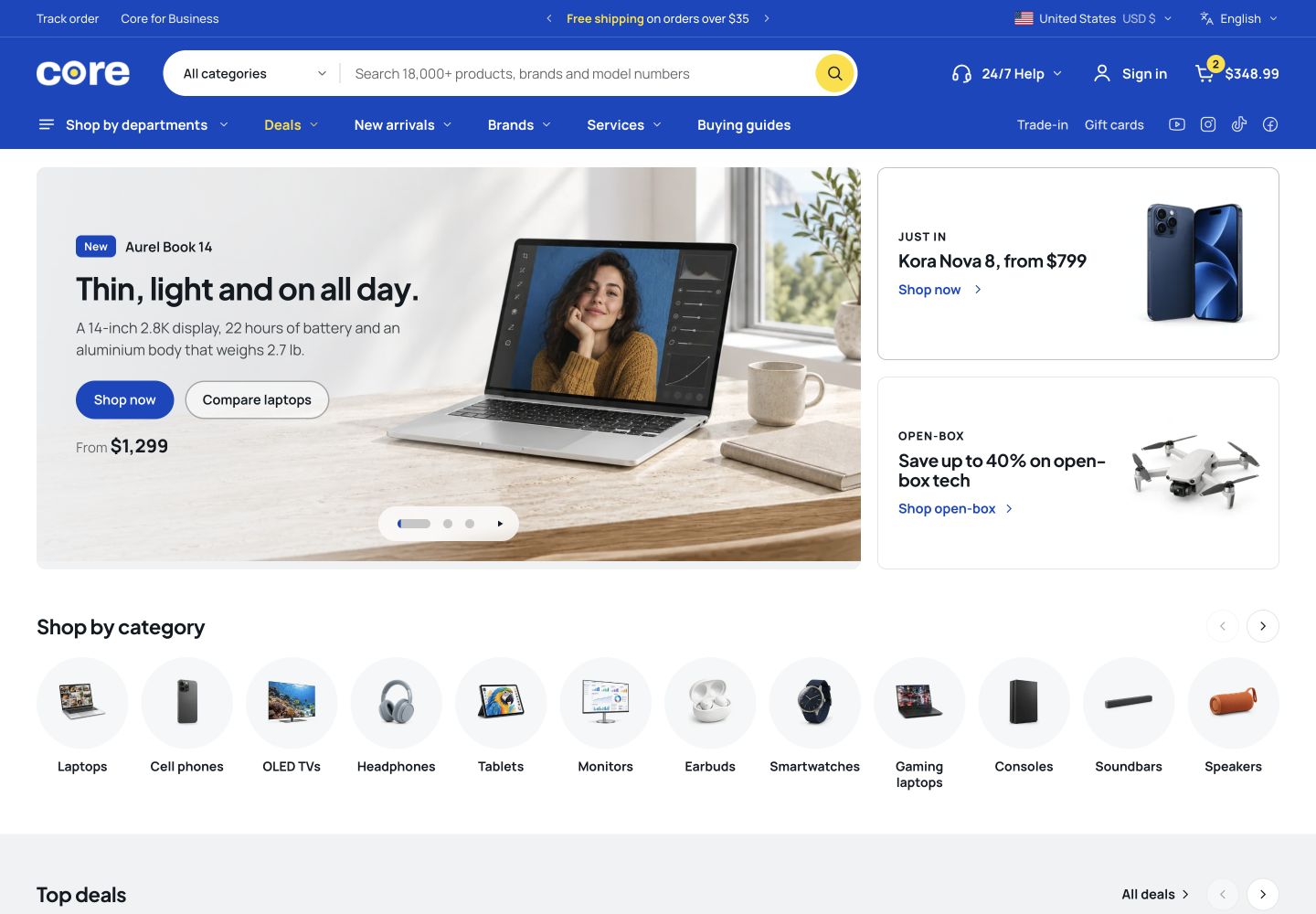
| Preset | Demo catalog | Visual starting point |
|---|---|---|
| Core | Electronics and accessories | Product-led, with prominent department navigation |
| Burrow | Pet food, toys and care | Friendly colors and pet-specific categories |
| Mantel | Furniture and homeware | Room photography, materials and quieter typography |
Core
Core puts a large electronics catalog at the center of the storefront. Its homepage combines department navigation, promotional spaces and product categories.
Burrow
Burrow is designed for pet supplies and everyday goods. It uses pet categories, a friendly visual style and space for food, toys and care products.
Mantel
Mantel is designed for furniture and homeware. Room photography, materials and collection imagery play a larger part in its visual direction.
What stays the same?
All three presets include the same foundation for product discovery and product details. Choose the visual direction closest to your catalog and brand.
Before choosing a preset
Gather a representative selection
Choose a few products with different image shapes, title lengths and variants. A layout should work with the actual range in your store.
Compare your photography
Look at whether your images are mostly isolated products, lifestyle scenes or detailed material shots. Use the preview above to see how each starting point handles them.
Review on a phone
Check the navigation, collection browsing and product information on a narrow screen before settling on your direction.
Getting started
Get started with the Core Shopify theme. Compare its three presets and plan your catalog, storefront content and visual direction before customizing.
Navigation & search
Plan navigation and search for your Core Shopify store, from department menus and collections to product filters and predictive search.