
Product discovery
Explore visual mega menus, predictive search, collection filters and recently viewed products in Core, with screenshots and catalog planning tips.
Shoppers need a clear way into your catalog and a way to narrow it down. Use navigation for the broad departments, search for a known item and filters for the details that matter within a collection.
Start with your catalog
This guide explains the storefront experience. Available filter values depend on your product data and collection. The screenshots use the Core demo catalog.
Visual mega menus
Organize departments with image tiles, product links and featured collections. Group related destinations so shoppers can see what belongs together.
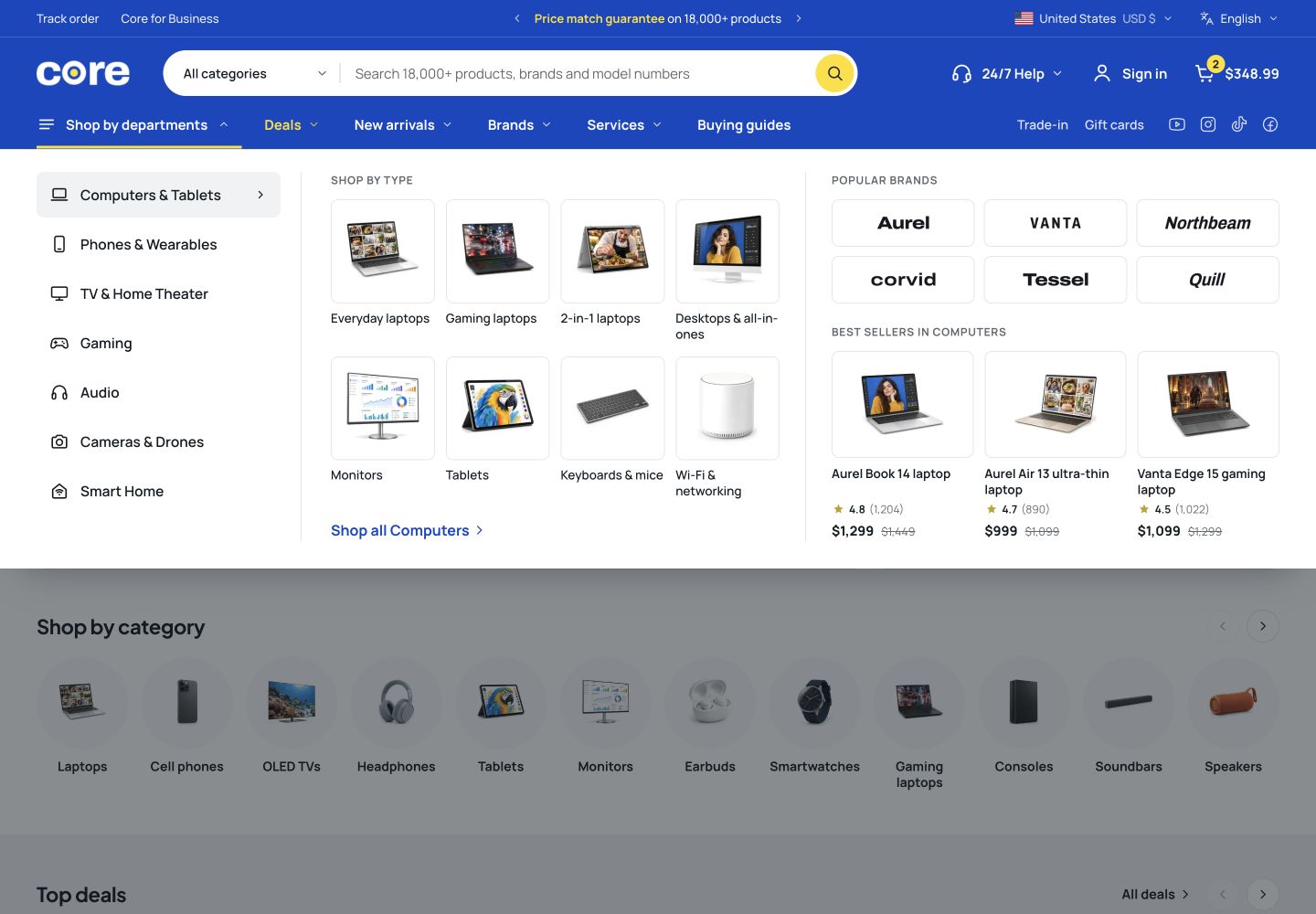
Keep the top level short enough to scan. Within a department, use names a shopper would recognize, such as “Headphones” or “Laptops”, and avoid repeating the same destination in several groups.
Predictive search
Search suggestions bring products, collections and articles into view while shoppers type. Clear product names and collection titles help shoppers recognize the results they need.
Collection filters
Filters narrow a collection by attributes such as price, availability, color and product type. The useful attributes depend on the products in that collection.
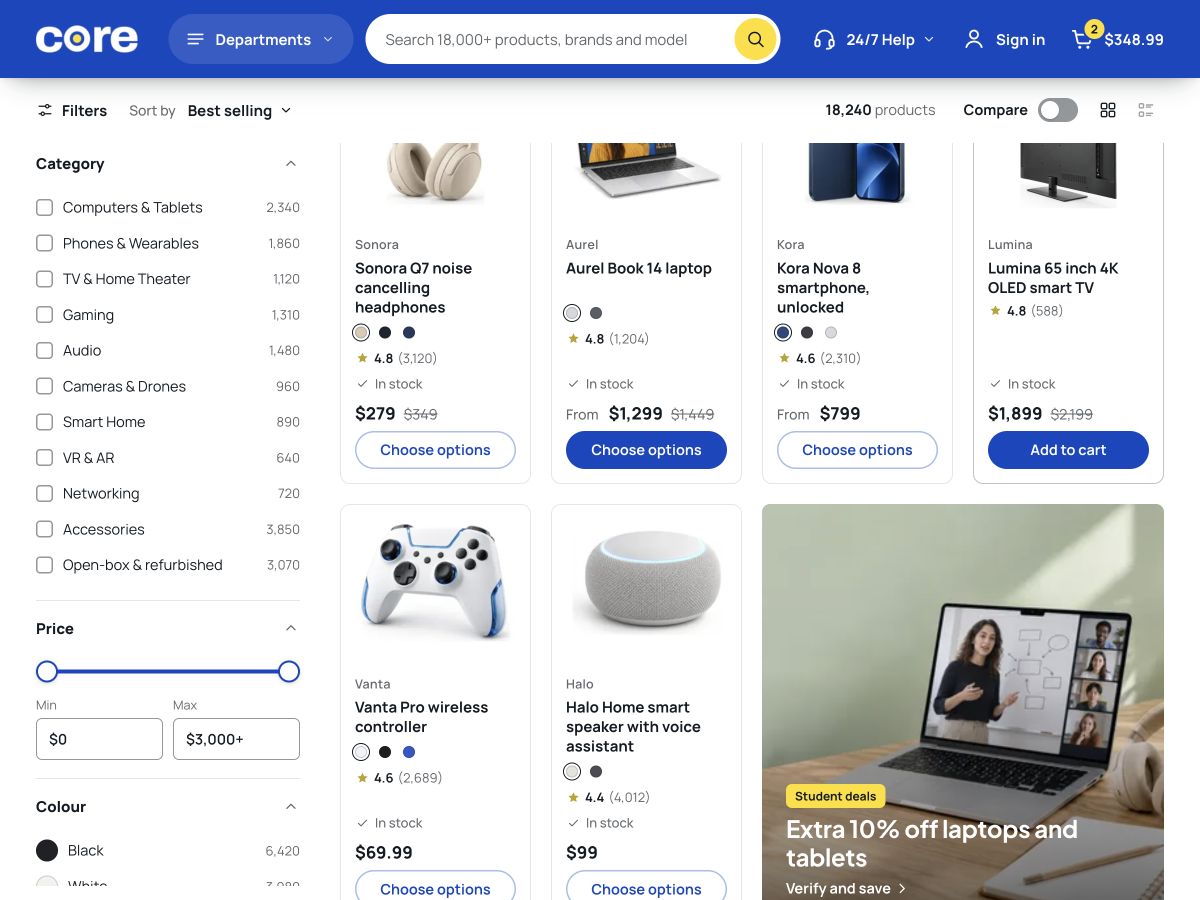
| Shopper’s question | Useful filter |
|---|---|
| Does it fit my budget? | Price |
| Can I buy it now? | Availability |
| Does it come in this finish? | Color or material |
| Which kind of product is it? | Product type |
Check the browsing journey
- Open a collection with a representative range of products.
- Apply one filter, then add a second. Check that the remaining products match both choices.
- Remove a filter and confirm the selection expands again.
- Repeat on a phone, including opening and closing the filter panel.
Use consistent names
A shopper should not have to choose between “Grey” and “Gray” for the same color. Review your catalog values before judging the filter layout.
Recently viewed
Recently viewed products give shoppers a way back to items they have already opened while browsing.
For tools that help shoppers choose between products, continue to Product details.
Navigation & search
Plan navigation and search for your Core Shopify store, from department menus and collections to product filters and predictive search.
Products & collections
Plan product pages and collections in the Core Shopify theme, including image galleries, variants, specifications and product comparison.