
Cart drawer
The panel that slides in when a shopper adds a product or clicks the cart icon, so they can check out without leaving the page.
The drawer slides in from the side when a shopper adds a product or clicks the cart icon. They can change quantities, add a product and go to checkout without leaving the page. If they remove an item, Undo brings it back.
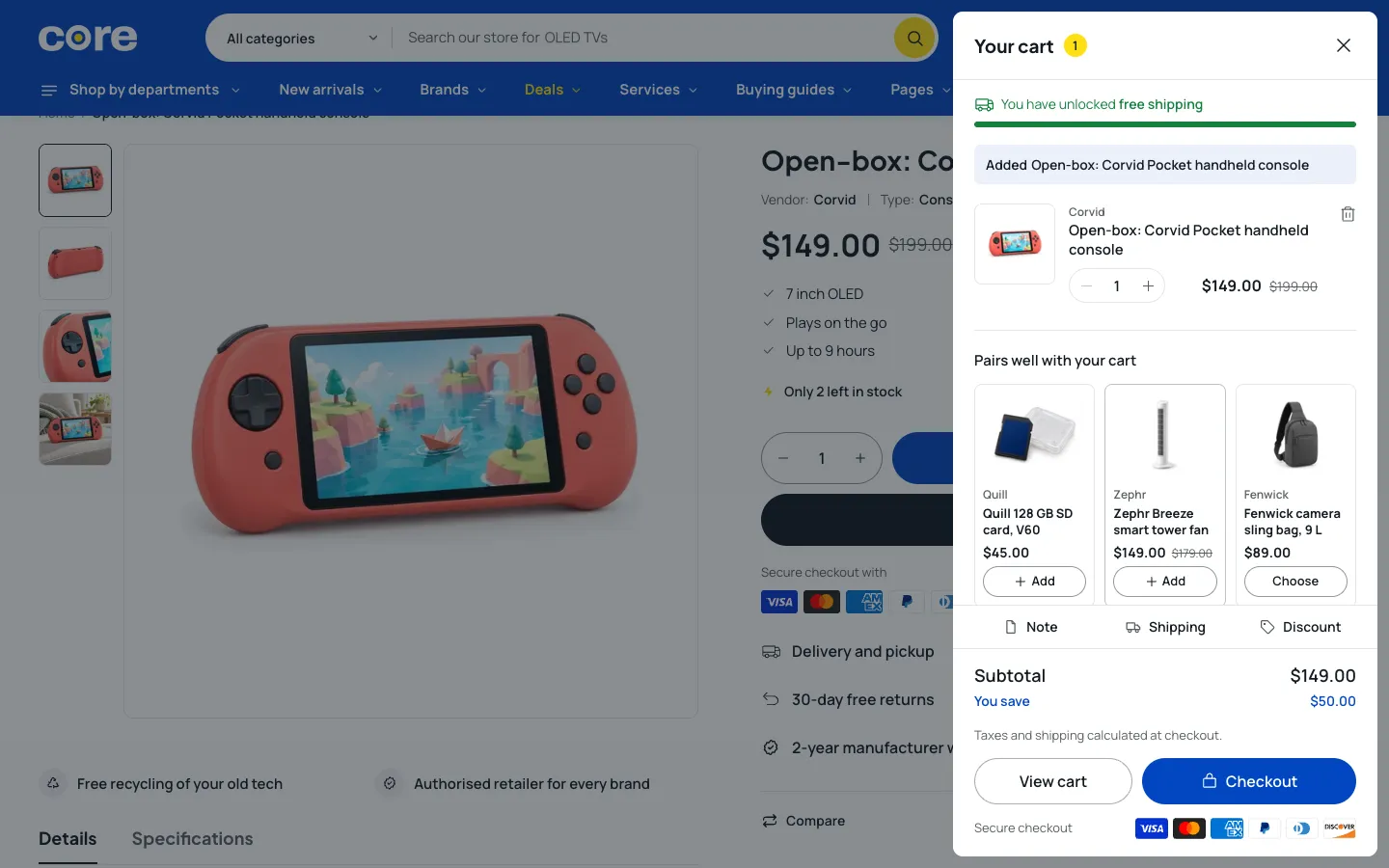
The drawer is the default, and we recommend it. Choose Page under Cart type in Theme settings > Cart if your shoppers tend to review large orders, as the cart page gives more room.
To edit it, click Cart drawer under Overlays in the section list of the theme editor. The drawer opens in the preview. On the cart page itself, the cart icon stays on the page and the drawer does not open.
What is set elsewhere
The order extras are shared with the cart page and turned on in Theme settings > Cart. They sit in a row above the subtotal, and each opens a small panel:
- One lets the shopper leave instructions for the order.
- Shipping shows your rates for an address before checkout.
- Discount takes a discount code.
Turn off what you do not need. Hanger turns off all three, and the row disappears, as the picture shows.
The free shipping bar is set in the same place. Accelerated checkout buttons such as Shop Pay show only on the cart page.
Choose the look
Space from the screen edges and Corner radius shape the drawer. Set the space to 0 to place it against the top, side and bottom of the screen. On phones the space is 8 pixels at most.
Show product recommendations adds up to 3 products. See Cart recommendations.
Show payment icons adds the icons under the checkout button.
Set up the empty cart
A shopper with an empty cart sees your Heading and Text, your Collections as tiles, and a button. Pick the collections you most want people to start with. Without a Button link, the button goes to all products.
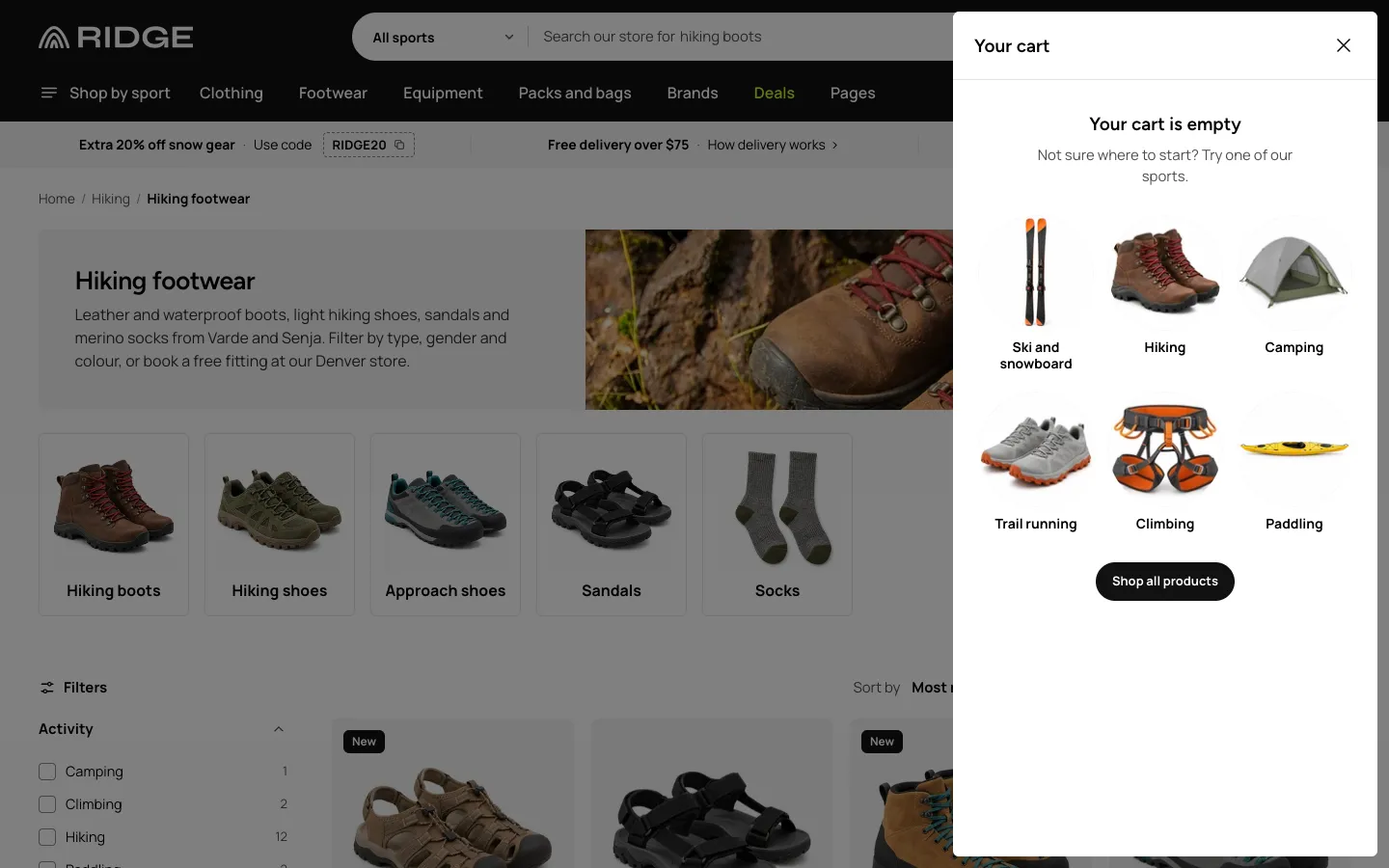
Seen in the Ridge demo
Something not working?
The drawer does not open. Cart type is set to Page, or the shopper is already on the cart page.
The row above the subtotal is missing. All three of its actions are turned off in Theme settings > Cart.
A quantity changes by itself. The shopper asked for more than you have in stock. Shopify sets the line to what is available and the drawer shows its message.
The plus and minus buttons skip numbers, or stop. The buyer has a B2B catalog with quantity rules. The line steps by the increment and stops at the minimum and maximum.
All settings: Cart drawer
| Setting | What it does |
|---|---|
| Color scheme | |
| Space from the screen edges | 0 puts the drawer against the top, side and bottom of the screen. On phones the space is 8px at most. |
| Corner radius | |
| Heading | |
| Product recommendations | |
| Show product recommendations | Up to 3 products related to the last product added, chosen by Shopify. Change them with the Search & Discovery app. |
| Heading | |
| Empty cart | |
| Heading | |
| Text | |
| Collections | |
| Button label | |
| Button link | |
| Footer | |
| Show payment icons | |