
Compare similar items
A table on the product page that sets the current product beside up to four similar ones, so shoppers can weigh them up.
Compare similar items adds a table to the product page. The current product sits first, marked This item, with similar products beside it and a row for each thing shoppers want to check.
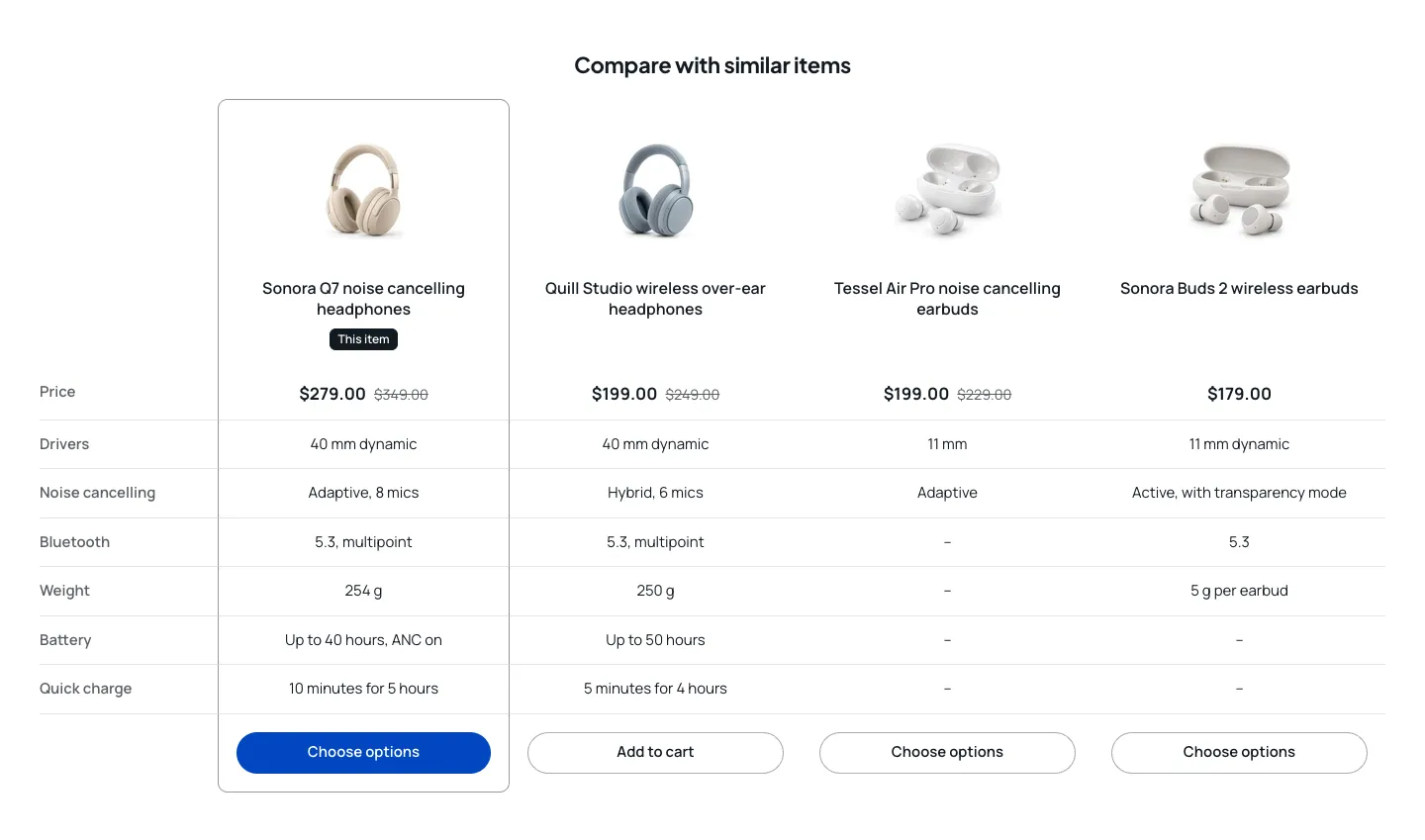
Use it when shoppers choose between products by facts, such as specifications, sizes or materials. It helps them decide without leaving the page. The section works only on product templates.
The theme has two compare features, and they do different jobs.
| Compare similar items | Product compare | |
|---|---|---|
| Who picks the products | You, or Shopify | The shopper |
| Where it shows | In the product page | In a pop-up, from any collection, search or product page |
| Best for | Guiding a choice on one product | Shoppers building their own shortlist |
You can use both. Their rows are set separately.
Choose the products
Products to compare with decides what goes beside the current product.
- Related products is usually right. The products you set in Shopify's Search & Discovery app come first, and Shopify's own picks fill the rest. On a store with few orders, Shopify's picks tend to be the same few products, so set the important ones by hand.
- Related, set by hand only leaves Shopify's picks out. Use it when an unrelated product in the table would look wrong.
- Products picked here shows the same products on every product using the template. It suits a template made for one product family.
Most products next to this one goes up to 4. Three is a good number, since the columns get narrow after that.
With nothing to compare, the section takes up no space.
Choose the rows
Each row is a block. Click Add block under the section and drag the rows into order. Put what people decide on near the top.
| Block | What the row shows |
|---|---|
| Price | The price, with any sale price. |
| Rating | Stars from a reviews app. The row shows once a product has one. |
| Availability | Whether the product is in stock. |
| Vendor | The brand. It is labeled Brand unless you change Label. |
| Product type | The type set on the product. |
| Option | The values a product comes in. Enter the Option name as it is on your products, such as Size. |
| Description | The product description, cut to Lines to show. |
| Metafield | One value from a product metafield, such as custom.warranty. A metafield of files shows as a list of documents. |
| Specifications | One row per label in the product's specifications. See below. |
| Buy button | Add to cart for a product with one variant, Choose options for the others. |
A row no product has a value for is left out. A single missing value shows a dash.
Rows from specifications
The Specifications block is the quickest way to fill a table. It reads the same metafield as the product page's Specifications tab, custom.specs by default, and makes one row per label. See Metafields for its format.
The labels most of the products share come first, and Most rows caps the count. To control the rows yourself, type them into Only these labels, separated by commas. Use the same label wording across products, or you will get two rows for one idea.
Match your photos
Image shape can be Card corners or Circle. Circle suits product photos on a tinted background, as Ridge and Burrow do.
Something not working?
The section does not appear. This product has nothing to compare with. Set its related products in the Search & Discovery app, or use Products picked here.
The table shows odd matches. Those are Shopify's own picks. Set related products by hand, or switch to Related, set by hand only.
All settings: Compare similar items
| Setting | What it does |
|---|---|
| Heading | |
| Description | |
| Heading size | |
| Heading alignment | |
| Products to compare with | Related products: the ones set for this product in the Search & Discovery app first, then Shopify's own picks. "Set by hand only" leaves Shopify's picks out. |
| Products | Used with "Products picked here": the same products on every product that uses this template. |
| Most products next to this one | |
| Image shape | Circle suits product photos on a tinted background. |
| Color scheme | |
| Top padding | |
| Bottom padding |