
Logo and favicon
Add your logo once for the whole store, with optional versions for dark backgrounds and small screens, plus the browser tab icon.
The logo you set here shows in your header and in the footer's logo blocks. There is one logo for the store, so you never set it per section. Until you add one, the header shows your store name as text.

Upload your logo
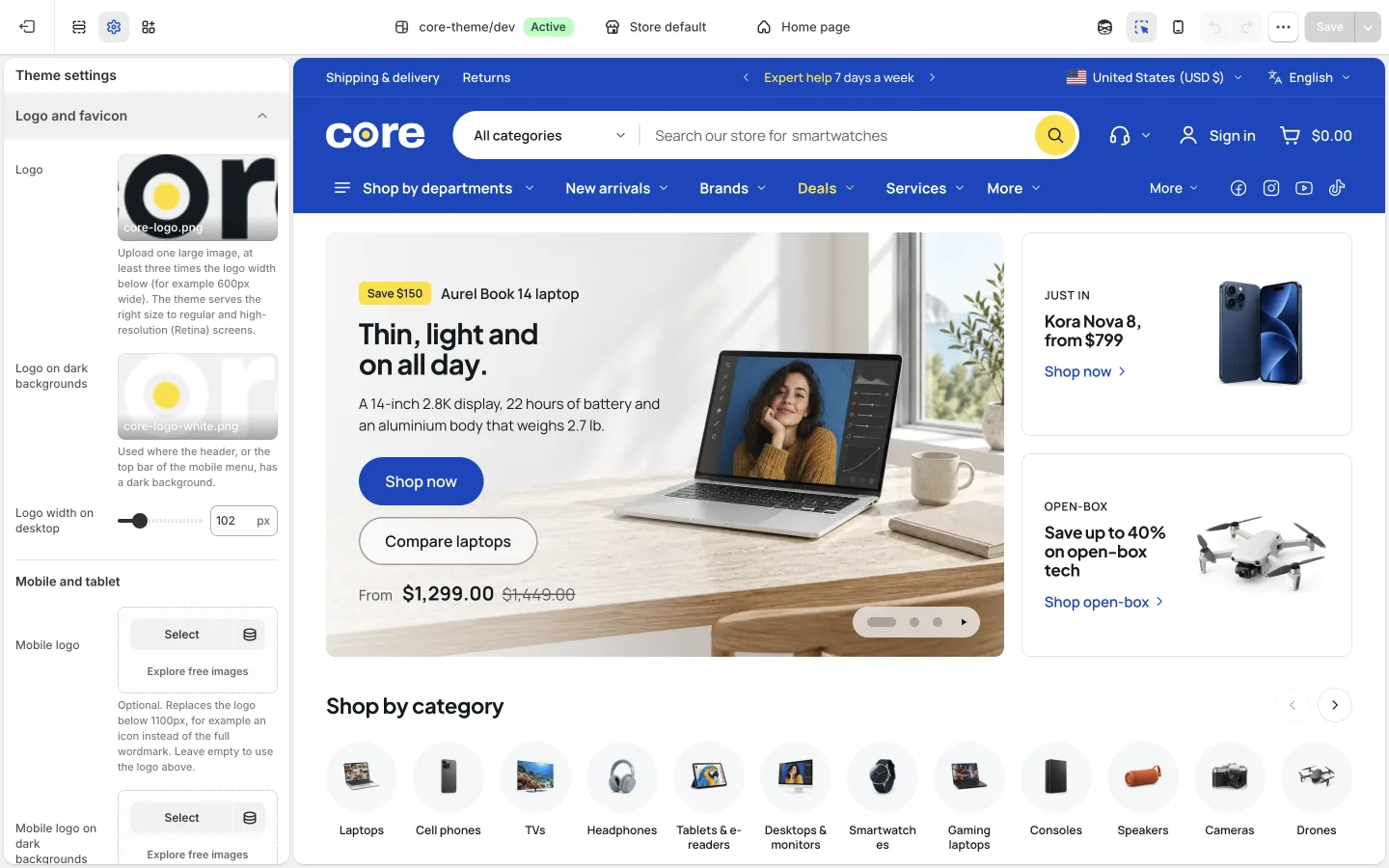
Upload one large file under Logo, at least three times as wide as it will show. For a logo 200 px wide on screen, that means 600 px. A transparent PNG works on any background. The theme serves the right size to each screen.
Logo width on desktop runs from 60 to 260 px, and Logo width on mobile from 50 to 200 px. The presets use between 102 and 184 px on desktop. Set the width with the preview open, because a wide logo takes room from the menu and search box.
Add a version for dark backgrounds
Logo on dark backgrounds shows wherever the header or footer row has a dark color scheme, and in the top bar of the mobile menu when that bar is dark. Add one if any row of your header or footer is dark, or if you may change preset later. Without it, a dark logo stays dark and can disappear.
A row counts as dark because of its own color scheme, so you do not need to tell the theme where to use which file.
Use another logo on phones
Mobile logo replaces the logo below 1100 px, on tablets and phones. It suits a long wordmark that gets too small on a narrow screen: upload a short version or an icon. Leave it empty to use the main logo at the mobile width. Mobile logo on dark backgrounds does the same job on dark rows.
Add a favicon
The favicon is the small icon in a browser tab. Use a square image of at least 64 x 64 px. It shows very small, so a simple mark reads better than a full logo. Browsers can keep showing an old icon for a while after you change it.
Something not working?
The logo looks blurry. The file is too small for its width. Upload a larger one.
The logo is missing from the header. A dark logo may be sitting on a dark row. Add Logo on dark backgrounds.
The logo is missing altogether. Check that the header has a Logo item. Header rows shows how the items work.
All settings: Logo and favicon
| Setting | What it does |
|---|---|
| Logo | Upload one large image, at least three times the logo width below (for example 600px wide). The theme serves the right size to regular and high-resolution (Retina) screens. |
| Logo on dark backgrounds | Used where the header, or the top bar of the mobile menu, has a dark background. |
| Logo width on desktop | |
| Mobile and tablet | |
| Mobile logo | Optional. Replaces the logo below 1100px, for example an icon instead of the full wordmark. Leave empty to use the logo above. |
| Mobile logo on dark backgrounds | |
| Logo width on mobile | |
| Favicon | 64 x 64px recommended. Use a square image. |