
Search
Set what shoppers see in the header search box, both before they type and as results appear while they type.
These settings shape the panel that opens under the header's search box. It has two states: before the shopper types, and while they type.
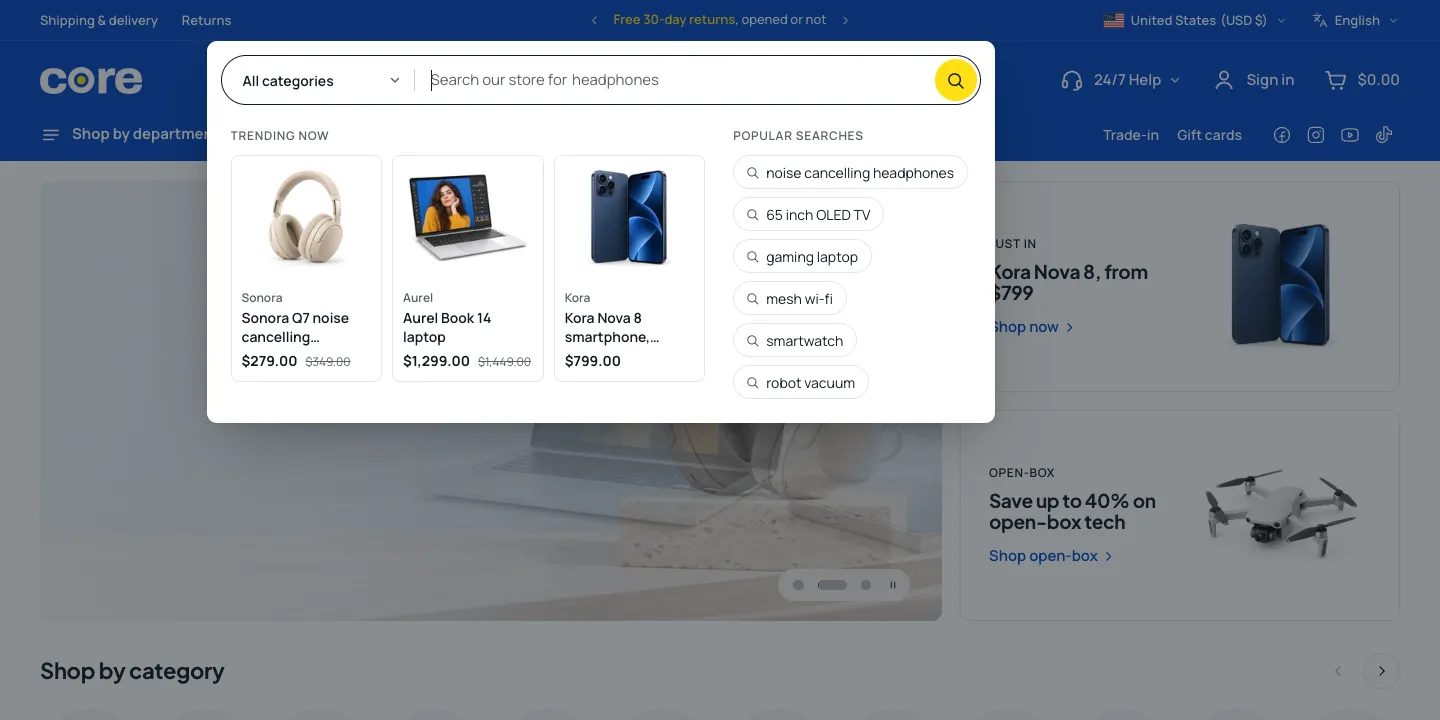
Seen in the Core demo
The search box itself, with its placeholder, width and category list, has settings of its own. See Search box. The page of full results is in Search results.
Before the shopper types
A good panel here turns an empty box into a shortcut. All of it is optional, and the panel stays closed when it has nothing to show.
Popular searches lists words to offer as links. Separate them with commas: rain jacket, hiking boots, tent. Clicking one runs that search. They also show on the page shoppers get when a search finds nothing, so choose terms that always find something.
Products to show takes a collection and shows its first three products, under Heading above the products. Use a collection you keep up to date, such as your best sellers.
Recent searches show as well, once a shopper has searched. The theme adds them on its own and keeps them in the shopper's browser.
Replace the sample terms
Each preset starts with the demo's Popular searches, such as "boucle sofa" in Mantel. Type your own, so nobody searches for something you do not sell.
While the shopper types
Show results while typing shows products, collections, pages and suggestions as the shopper types. We recommend leaving it on. Shopify only offers the suggestions on English storefronts.
Show product vendor and Show product price decide what appears on each small product result. Leave out the vendor if you only sell your own brand.
Result tab style sets the Products, Collections and Pages tabs as Pills or Text. Text shows small labels with the current one underlined, as Hanger does.
Shopify decides which products match and in what order. You can adjust that with its Search & Discovery app.
All settings: Search
| Setting | What it does |
|---|---|
| Show results while typing | The search box in the header shows products, collections, pages and suggestions as the customer types. Suggestions appear on English storefronts only. |
| Show product vendor | |
| Show product price | |
| Result tab style | Text shows the Products, Collections and Pages tabs as small labels (Typography > Small label case), the current one underlined. |
| Before the customer types | |
| Popular searches | Search terms separated by commas, for example: headphones, gaming laptop, smartwatch |
| Products to show | The first three products of this collection are shown. |
| Heading above the products | |