
Country and language
Dropdowns that let shoppers choose their country and currency, and their language. They appear once your store has more than one of either.
Shoppers open a small dropdown to switch to their own country, currency and language. With many countries, the list gets a search box of its own.
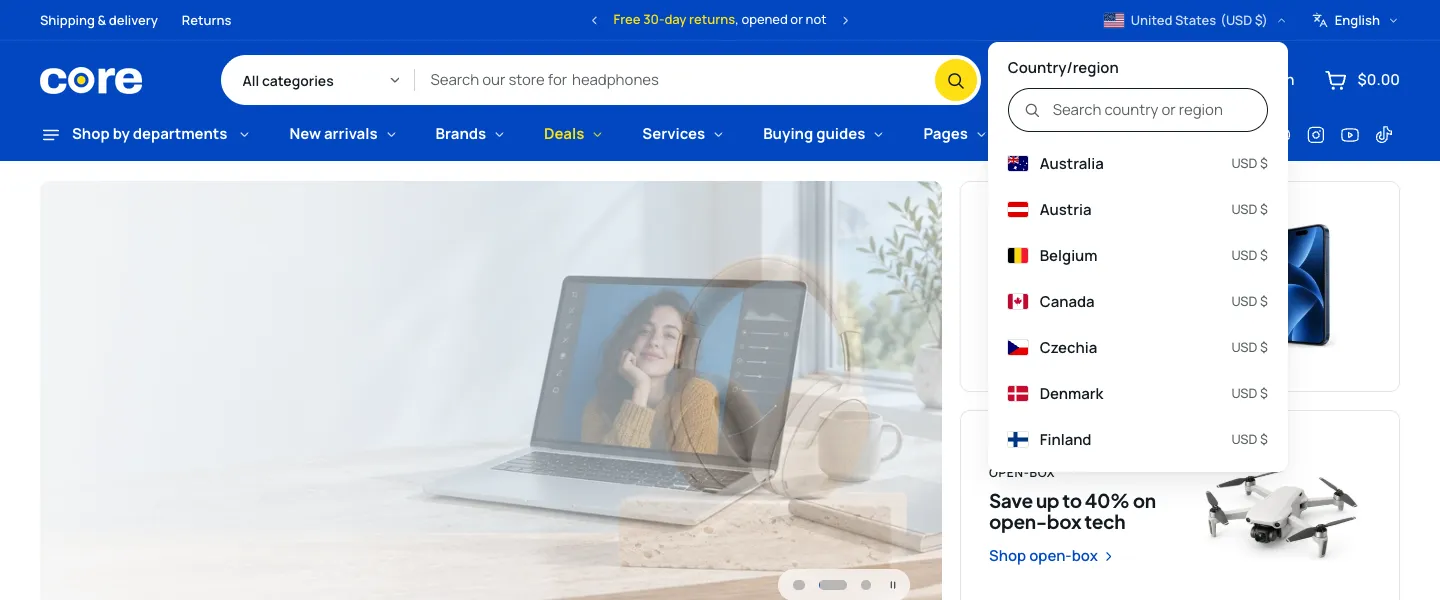
Why they may not show
The theme shows these selectors by itself once there is something to choose from.
- Country/region selector needs more than one country or region in Settings > Markets.
- Language selector needs more than one published language in Settings > Languages.
So with one country and one language, you see nothing, and that is correct. The setup steps are in Sell in other markets and Translate your store.
Where to put them
There are three places, and they each have their own settings. Most stores want them in all three, so people find them on any screen.
| Place | How to add it | Used by |
|---|---|---|
| Header | Country/region selector and Language selector items, in any row | Header top in Core, Burrow, Mantel and Hanger. Header bottom in Ridge. |
| Footer | The same two blocks, in Footer bottom or a Column | All presets, in Footer bottom |
| Mobile menu | One Country and language block in the Mobile drawer | All presets |
The header items are Desktop only in every preset, because a phone's top row has little room. The Mobile menu covers phones and tablets instead. It uses your phone's own list, which is easier to use on a small screen.
Decide how they read
For the country, three settings choose what the button shows: Show flag, Show country name and Show currency. Hanger and Ridge turn off the name, so the button reads as a flag and "USD $". This saves room when you have other items beside it. Screen readers still hear the country's name.
For the language, Label shows either the Language name or the Language code (EN).
In the header, Text size and Show dropdown arrow help the items match a row of other small links.
Flags come from Shopify, and the list of countries and currencies comes from your markets, so you do not type them.
Something not working?
A country is missing. The list only offers countries in your active markets. Check Settings > Markets.
Phones show no selector. Check that your Mobile drawer has a Country and language block.
All settings: Country/region selector (header)
| Setting | What it does |
|---|---|
| Show flag | |
| Show country name | Off: the flag and the currency only. Screen readers still hear the name. |
| Show currency | |
| Text size | Automatic keeps the size the item takes in its row. Small and Regular match the Links item's sizes. |
| Show dropdown arrow | |
| Show on |
All settings: Language selector (header)
| Setting | What it does |
|---|---|
| Label | |
| Text size | Automatic keeps the size the item takes in its row. Small and Regular match the Links item's sizes. |
| Show dropdown arrow | |
| Show on |
All settings: Country/region selector (footer)
| Setting | What it does |
|---|---|
| Show flag | |
| Show country name | Off: the flag and the currency only. Screen readers still hear the name. |
| Show currency |
All settings: Language selector (footer)
| Setting | What it does |
|---|---|
| Label |