
Custom CSS and Liquid
The places in the theme for your own styles and code, what each one can do, and what you take on when you use them.
Sometimes a small change is not covered by a setting. Shopify's Custom CSS boxes and the theme's Custom Liquid section and blocks let you make it without editing theme files.
Custom code is yours to maintain
A theme update can change the names your code relies on, so a rule may stop working or break a page. Keep a copy of what you added and why, and check it after each update.
Look for a setting first. Colors, spacing, fonts and corners nearly always have one, in Theme settings or on the section.
Which one to use
| I want to | Use |
|---|---|
| Change a style across the whole store | Theme settings > Custom CSS |
| Change a style in one section | The section's own Custom CSS |
| Add a snippet or a metafield to a product page | The Custom Liquid block of the product |
| Add code or an embed to any other page | The Custom Liquid section |
| Add an app to a page | The app's own block or section |
| Build a simple block of text with a background image | The Custom section |
| Change a template or file | Edit the code, on a duplicate |
Custom CSS
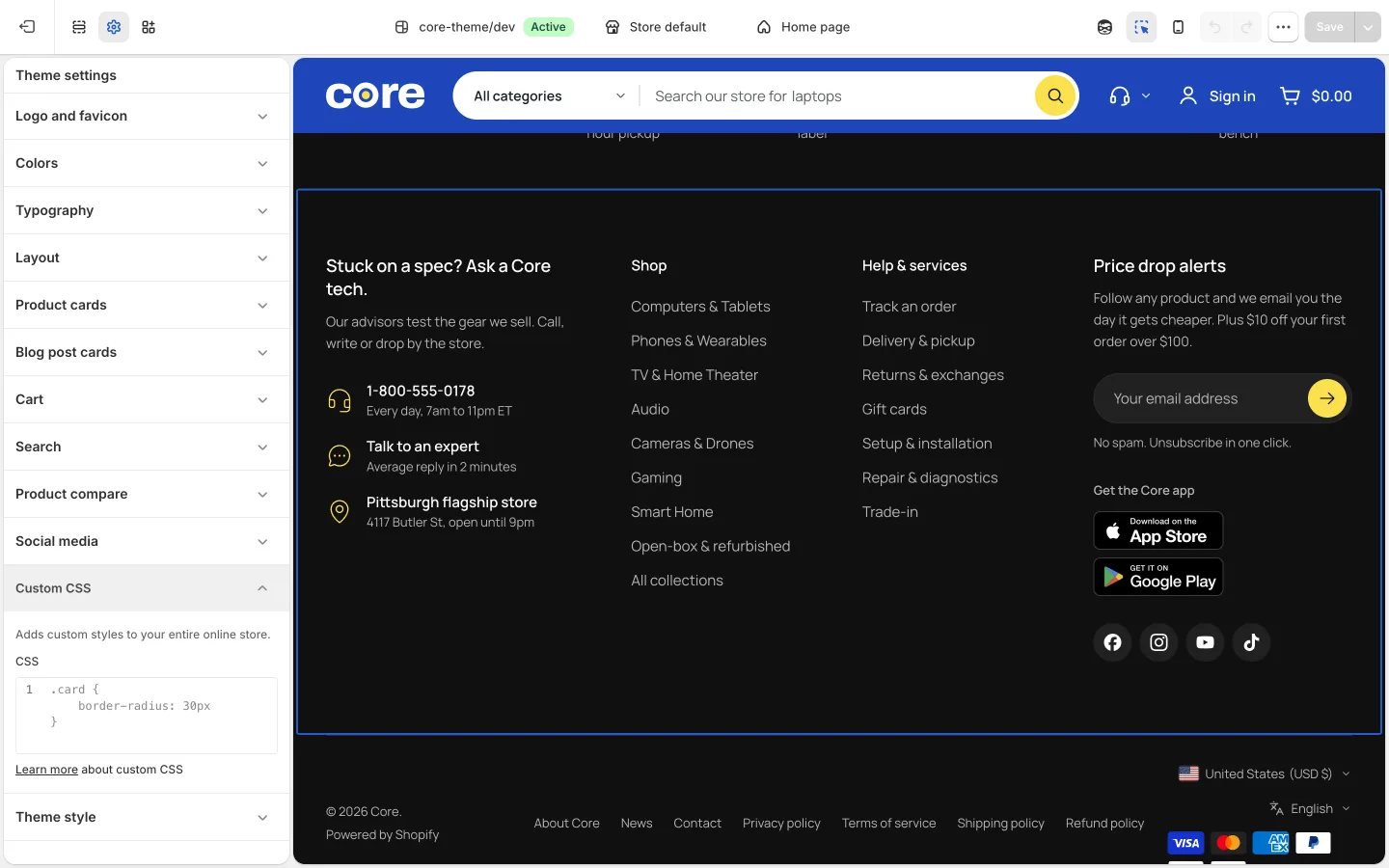
Shopify provides this, and the theme does not change it. There are two places:
- Theme settings > Custom CSS applies to every page, up to 1500 characters. The sample code in the empty box is Shopify's, and not a class from this theme.
- Custom CSS at the bottom of a section's settings applies to that section only, up to 500 characters.
Prefer the section's box when you can. It cannot affect anything else, so a mistake stays small.
h2 { letter-spacing: 0.02em; }In a section's box, this changes the headings of that section only.
Shopify sets some limits: no @import, no content property, and any URL must point to cdn.shopify.com. Read Shopify's guide for the rest. Custom CSS does not reach checkout.
Custom Liquid
Custom Liquid runs Liquid and HTML. It comes as a section and as blocks.
Custom Liquid section
Add it with Add section on any template. It suits an embed, such as a booking widget or a form from another service. It has Use full page width, Color scheme and top and bottom padding, like other sections. With an empty box it shows only its padding, so remove the section when you no longer need it.
Custom Liquid block
The block runs Liquid and HTML among your product blocks. It suits an app's snippet, or a value the theme has no block for. A block prints nothing when the box is empty.
On product pages you can add it in four places: Product info, Below the gallery, the Featured product section and Quick view. A Custom Liquid block also goes in the Blog post template and in a Custom section.
{% if product.metafields.custom.warranty != blank %}
  <p>Warranty: {{ product.metafields.custom.warranty.value }}</p>
{% endif %}
Your code only knows product on a product page, so the example above shows nothing in Featured product on the home page. For a metafield, first try a Tab or Collapsible row, which need no code.
Test your code in the editor preview, and on a phone. A coding error can break what is around it. If it does, clear the box.
Custom section
Custom section is a blank section you fill with Group and Text blocks, with an optional Background image.
Add a Custom Liquid block for code. The section has no color scheme or padding settings of its own. Use Padding on a Group for space around your text. For most jobs, Rich text or Multicolumn gives you more with less work.
Larger changes
Editing theme files is possible at Online Store > Themes, through Edit code. Shopify does not support advanced changes, and an edited theme needs more care when you update it. See Update your theme. Always work on a duplicate: in Online Store > Themes, open the ... menu on your theme and click Duplicate.
For bigger work, consider hiring a developer, such as one from the Shopify Partner directory.
All settings: Custom Liquid section
| Setting | What it does |
|---|---|
| Custom Liquid | Add app snippets or other Liquid code. |
| Use full page width | |
| Color scheme | |
| Top padding | |
| Bottom padding |
All settings: Custom Liquid block
| Setting | What it does |
|---|---|
| Liquid code | Add app snippets or other code. |
All settings: Custom section
| Setting | What it does |
|---|---|
| Background |
All settings: Group
| Setting | What it does |
|---|---|
| Layout direction | |
| Alignment | |
| Padding |
All settings: Text
| Setting | What it does |
|---|---|
| Text | |
| Text style | |
| Alignment |