
FAQ and help page
Group your answers by topic, with a side list that jumps to each topic and stays in view while the shopper reads.
The faq template turns your common questions into a help page. Questions open and close, and a list of topics stays in view beside them. The demos call this page Help center.
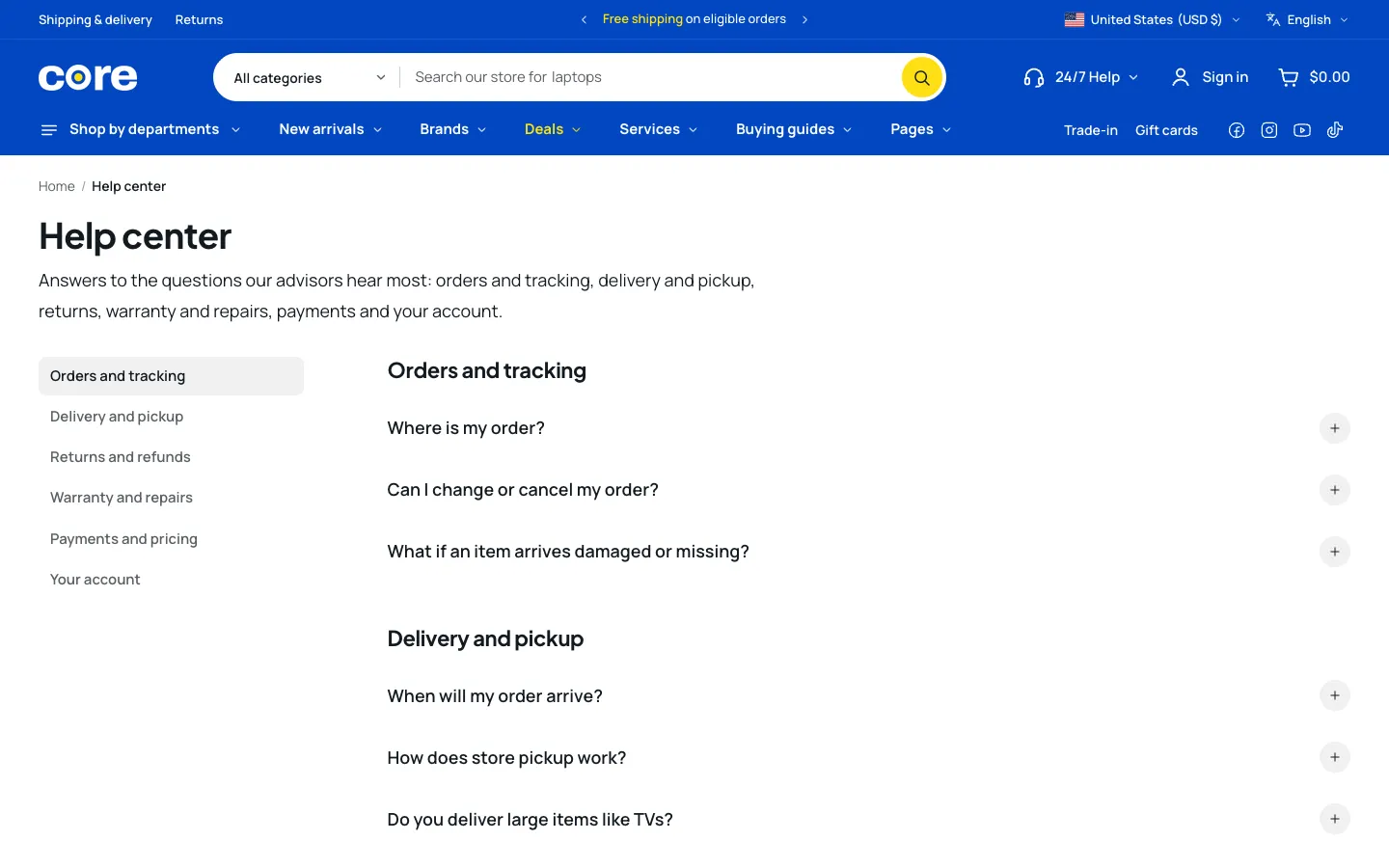
Core, Burrow, Mantel and Ridge have the side list. Hanger keeps one narrow column with no list, which suits a shorter page.
Set it up
Create the page
Add a page, for example Help center, and choose faq under Theme template. Give a page a template has the steps.
Write your topics
The questions live in the Multicolumn section. In the right column, each topic is a Heading block followed by an FAQ block.
Add your questions
Under an FAQ, each question is a Question block. Replace the sample delivery times, return windows and prices with your own terms.
Add the contact cards
The last section, Still need help, has cards for phone, email and your store. Change the details and links, or delete the ones you do not offer.
How the topic list works
The list on the left is a Page navigation block. There is nothing to type: it lists the Heading blocks of the other columns in the same section. Add a topic, and the list has it.
Its column has Sticky on, so the list stays in view on desktop while the questions scroll. Up to 1024 pixels wide, the list becomes one row that scrolls sideways.
Name for screen readers says what the list is, such as Help topics. Shoppers do not see it.
Link to a topic
Give a Heading an Anchor, such as delivery. You can then link to /pages/help#delivery from a menu, a footer or a product page. The first part of that address is your page's own address.
Writing good answers
- Put the most asked topics first.
- Open one answer with Open at first only if nearly everyone needs it.
- An Answer can hold links and lists, so link to your full policy instead of repeating it.
- Answers stay on the page when closed, and the browser's find-in-page can open them.
For a few questions on another page, you do not need this template. Add a Multicolumn section with one FAQ block, as the Contact page does.